Know what you can safely spend, before you spend it
Your bank balance shows what you have. It does not show what is already promised to something else. DivvyUpp looks at your pay, your bills and your savings goal. Then it gives you one number: what is safe to spend today, this week and this month.
About to buy something? Ask first. You get a clear answer, and you can see how DivvyUpp worked it out. Nothing to log afterwards. Nothing to sort into categories.
DivvyUpp is built for one person and one number. It is not a bill-splitter, and it never moves your money. The screens below are the app itself, running on a demo account you can open yourself — no signup, and no bank connection.
Getting set up
Start with a plan, before any bank is involved
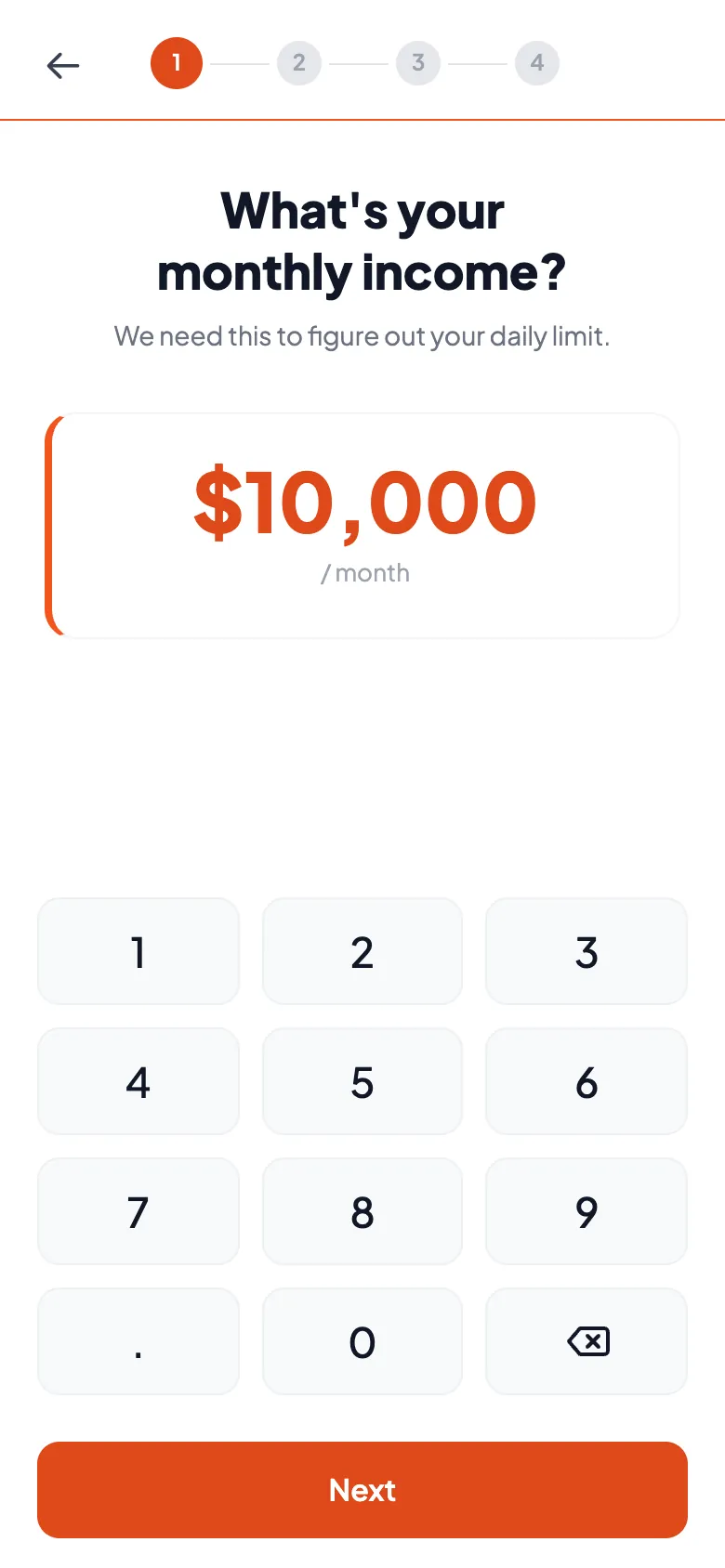
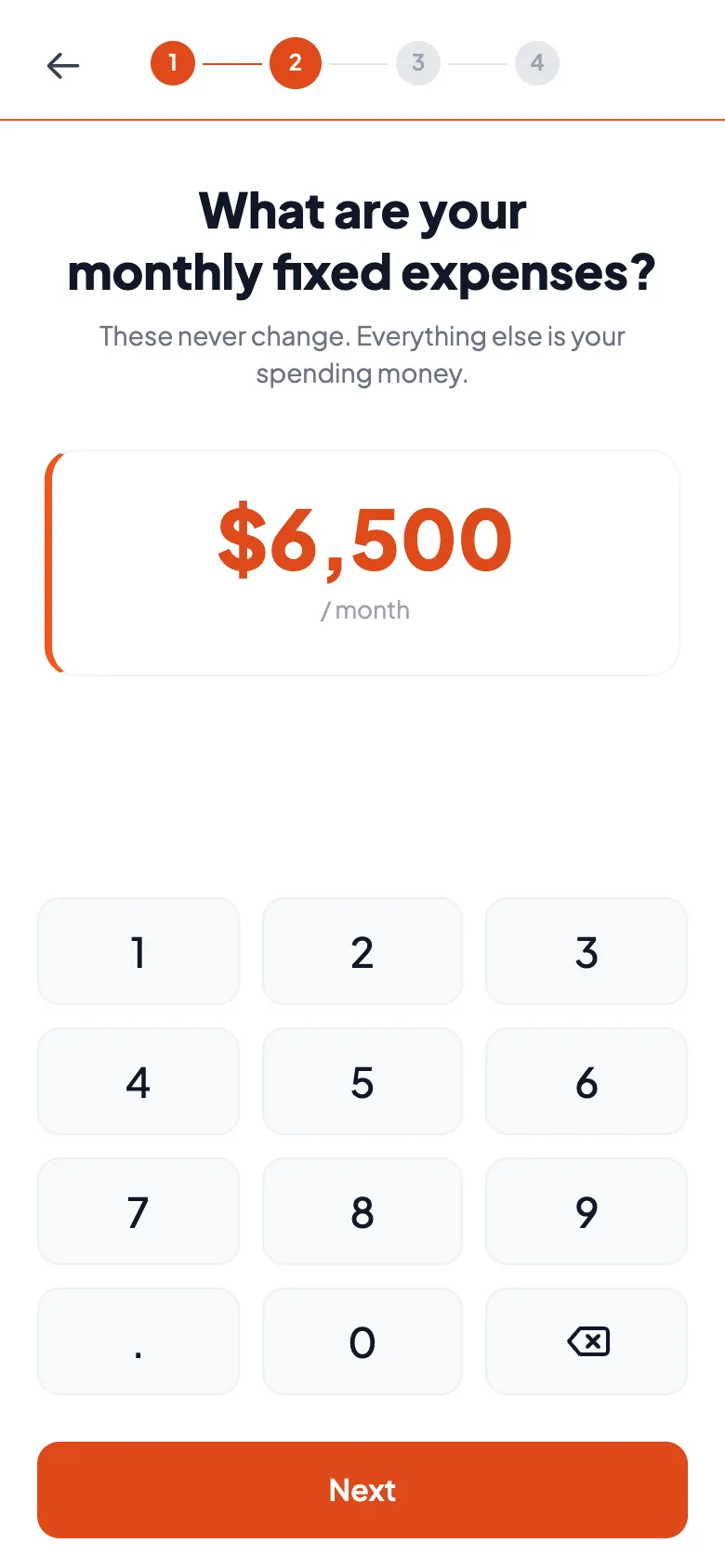
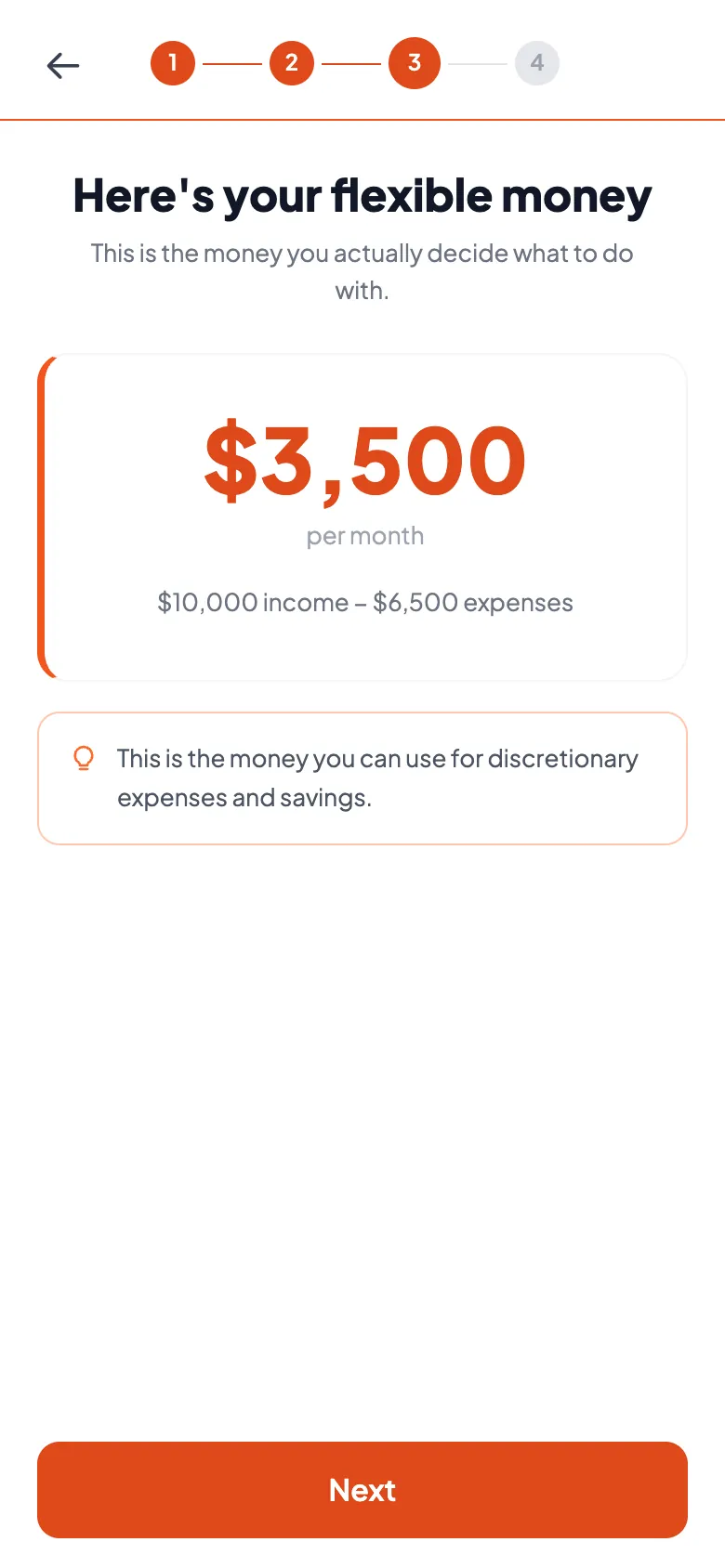
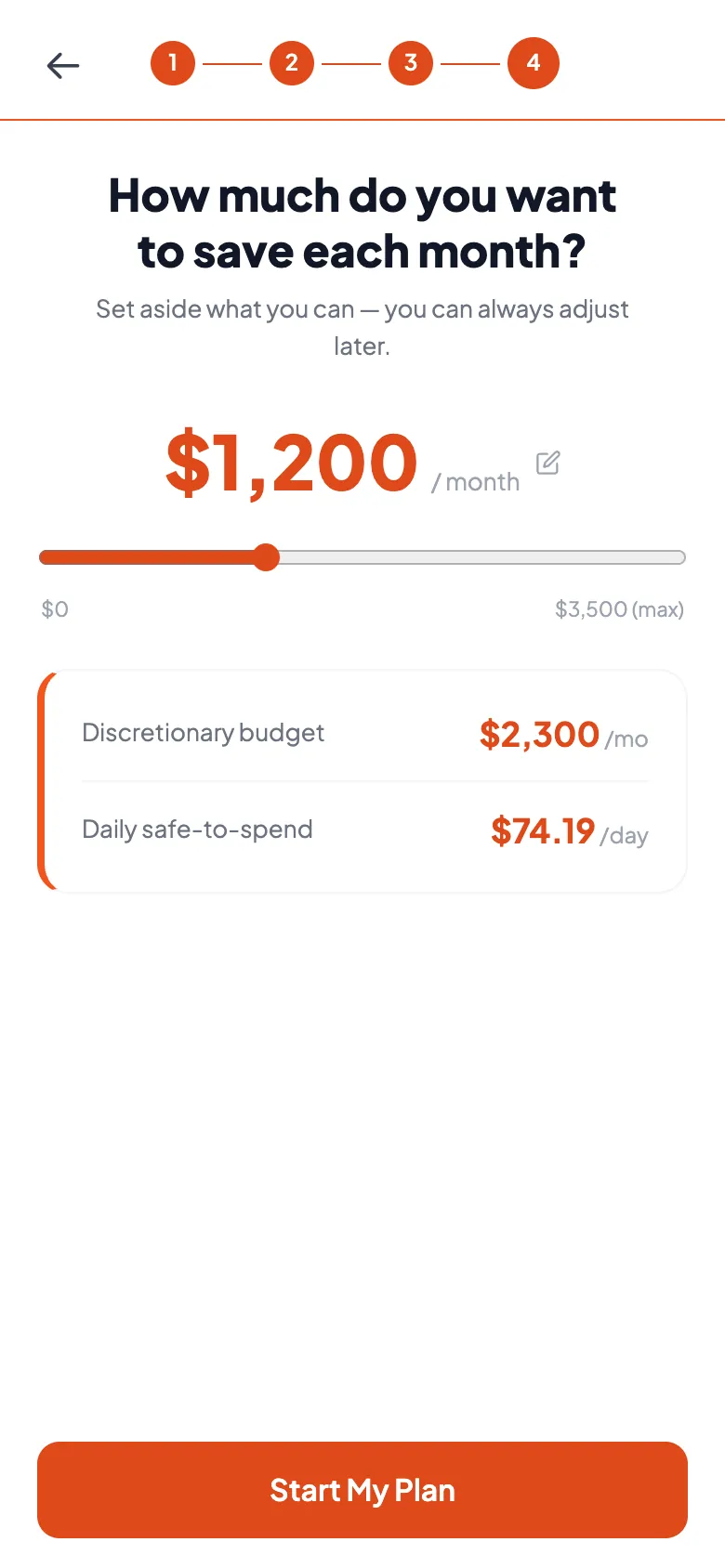
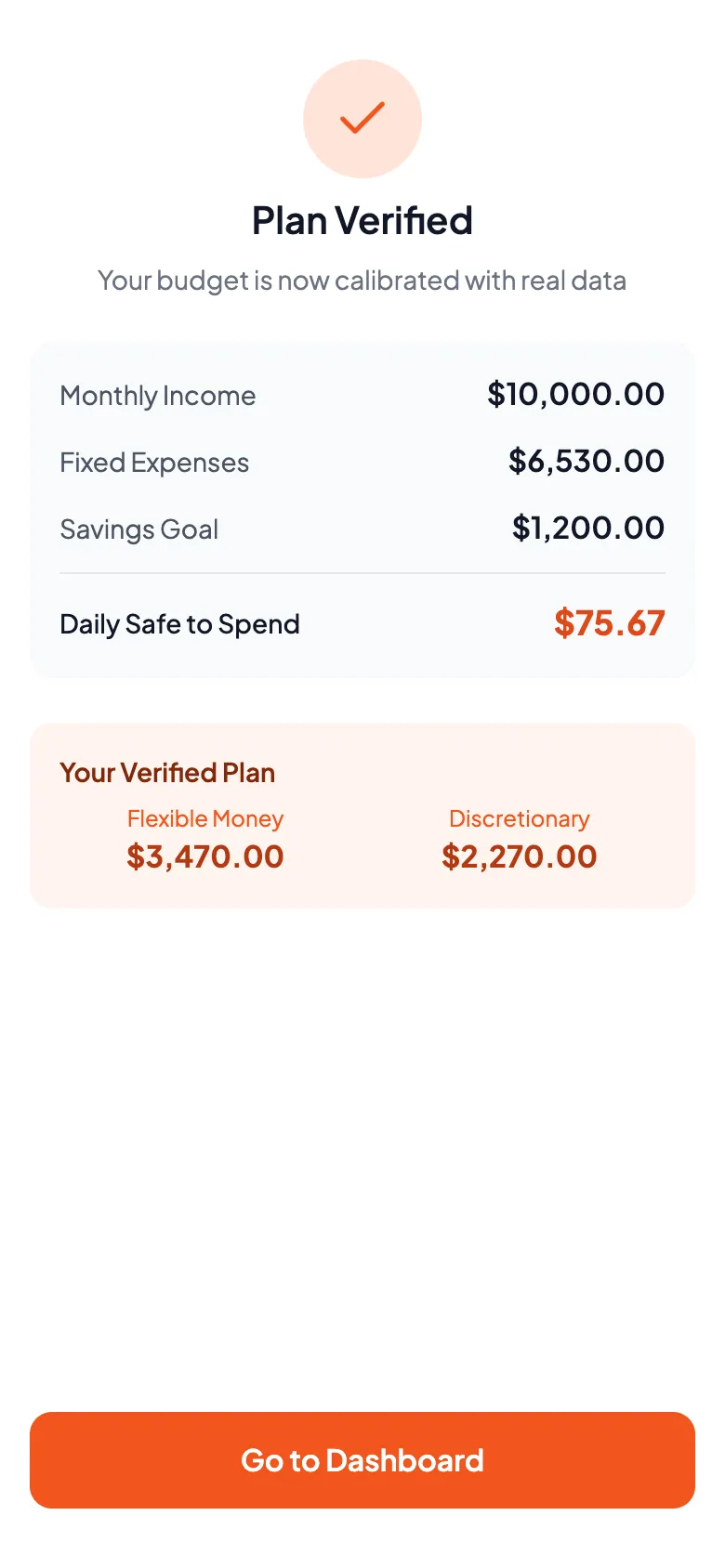
DivvyUpp asks you three questions. How much do you earn? What do your bills cost? How much do you want to save? It takes your bills out of your pay to show your flexible money. Then it sets your savings goal aside as well. What is left is your safe-to-spend amount, and DivvyUpp tracks it by day, by week and by month. You do all of this before you connect a bank.
Four steps, a number pad and a slider. Nothing to set up, and no spreadsheet to import.
Connect your bank, read-only
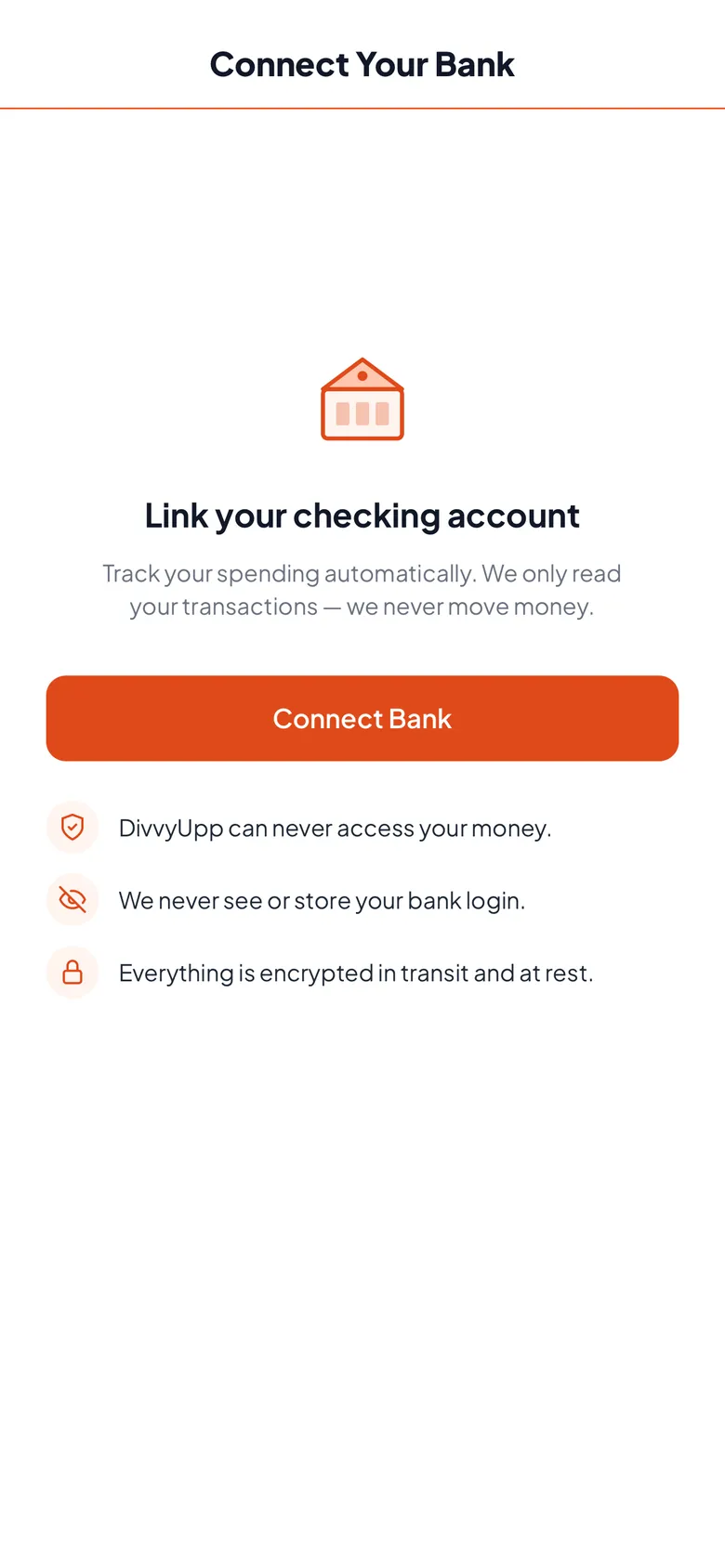
You type your bank login into Plaid's screen, not ours. DivvyUpp never sees it and never stores it. The link can read your balance and your transactions. That is all it can do. It cannot move money, open accounts or pay anyone. We never asked your bank for that.
Start with your checking account. That is where most of your spending happens. Then add your savings account, so your goal has a real place to grow.
Check the plan against what is actually there
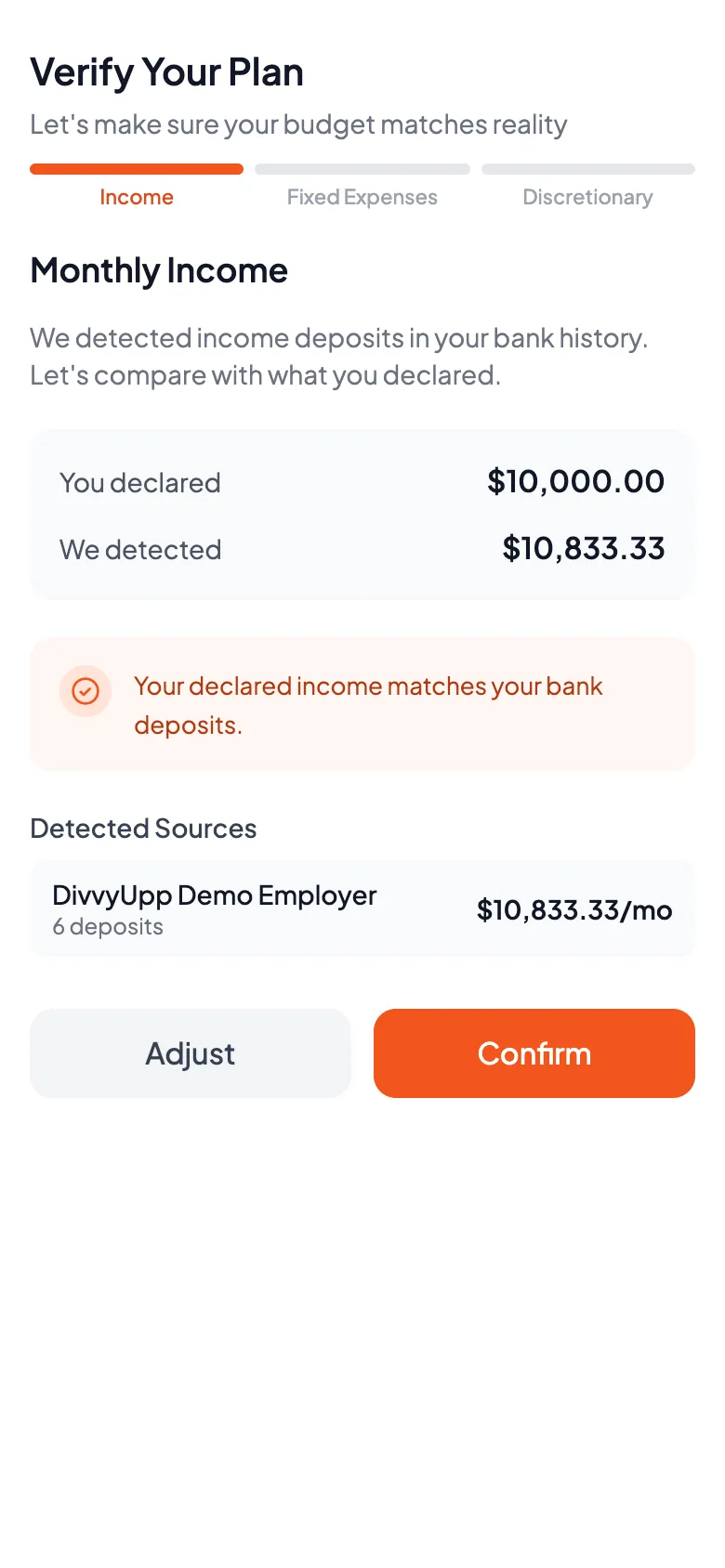
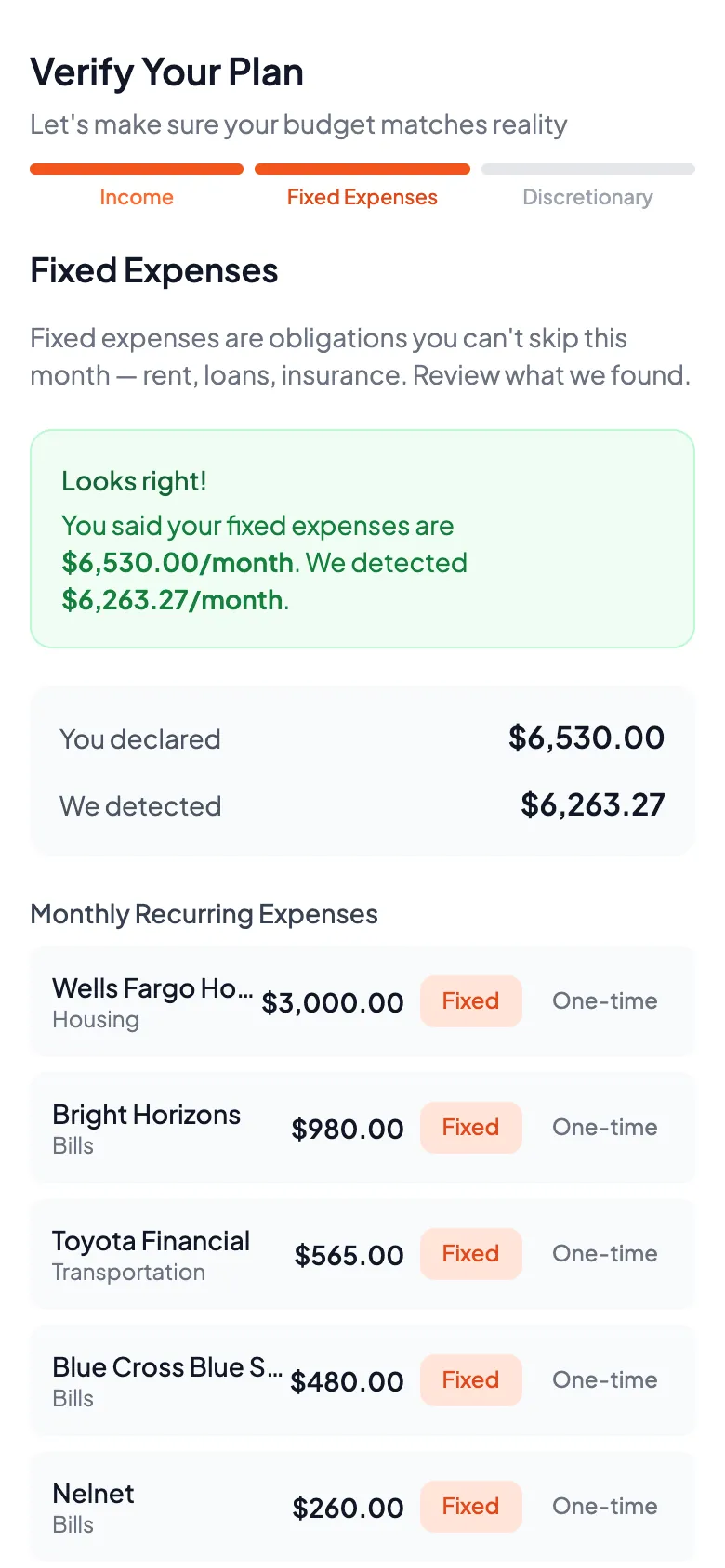
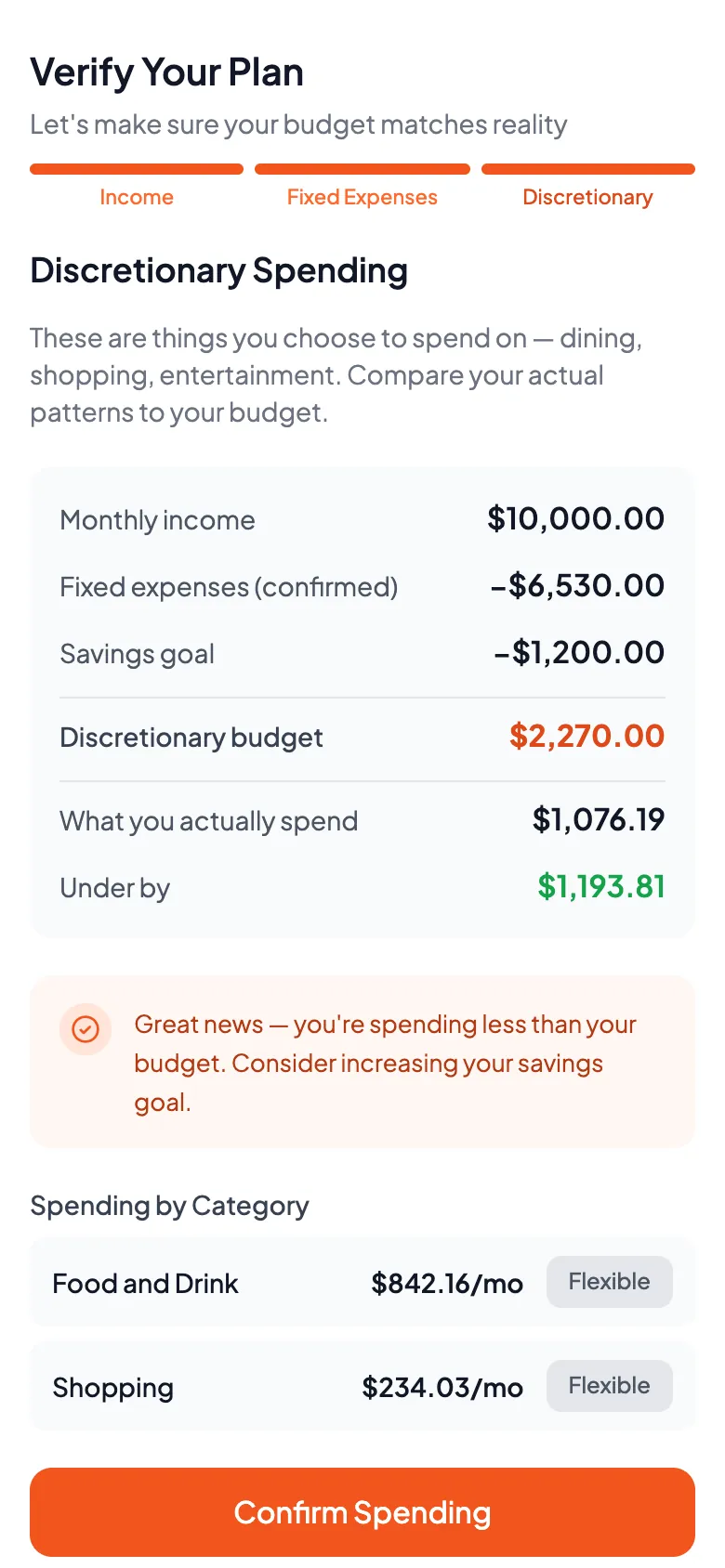
Once your bank is linked, DivvyUpp shows you what it found. It goes through three things: the income it spotted, the bills it thinks are regular, and the spending left over. Each one sits next to the number you gave. You accept it or change it. If a one-off payment was marked as a regular bill, you can fix that here.
You end up with a plan built from real deposits and real bills. Every number in it was checked by you.
Your everyday number
One number, for today, this week and this month
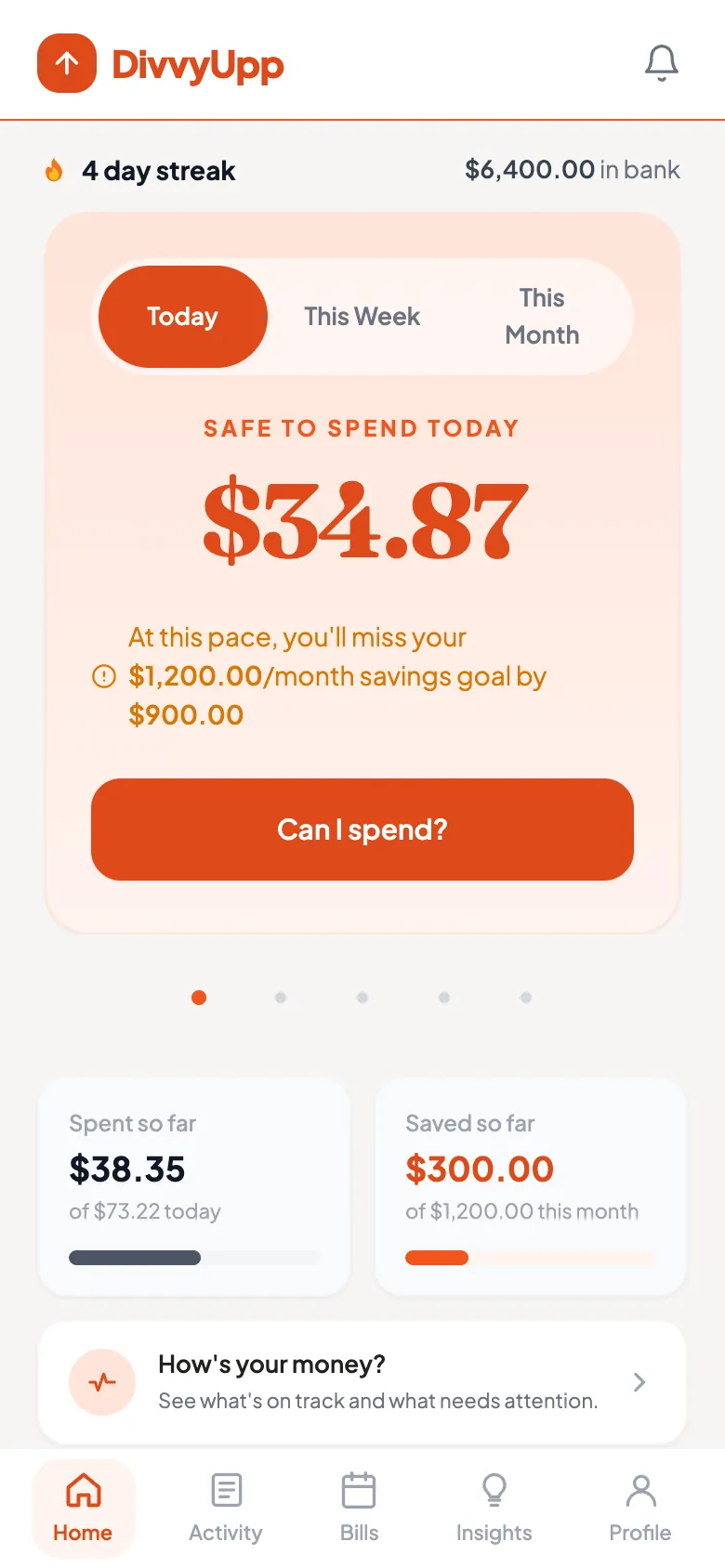
The home screen answers one question: what can I spend right now? Not what you spent last month. Not how you did in some category. Just what is safe today, once your bills and savings are set aside. It updates itself as new transactions arrive.
It also warns you when you are off track, and by how much you would miss your savings goal.
Ask before you buy, not after
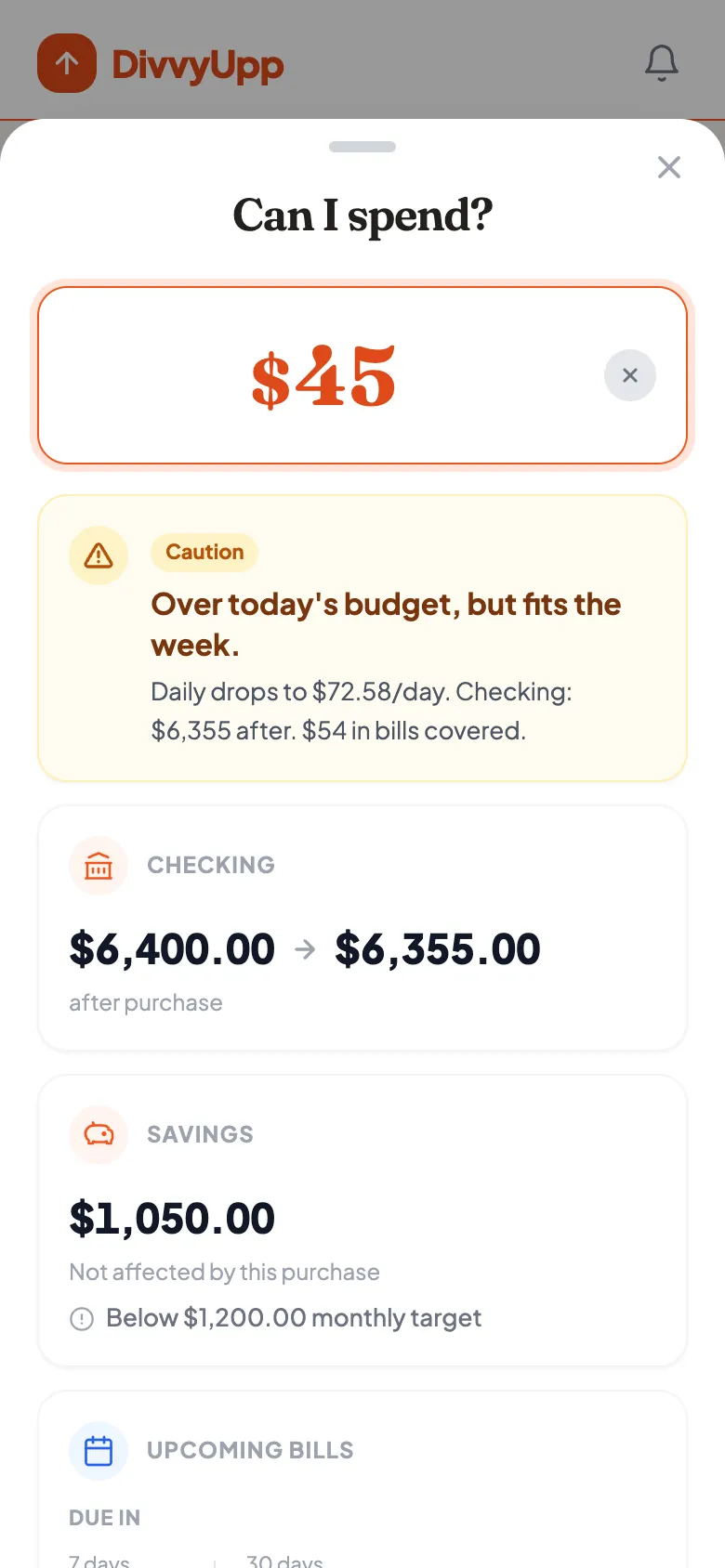
Type in an amount and get a clear answer. DivvyUpp checks it against today, this week and this month. It shows what your balance would be afterwards. It tells you whether your savings goal is at risk, and which bills are still coming. Then it says safe, caution or over.
Asking records nothing and takes nothing away. It is only a question.
Savings, checked against the money that is actually there
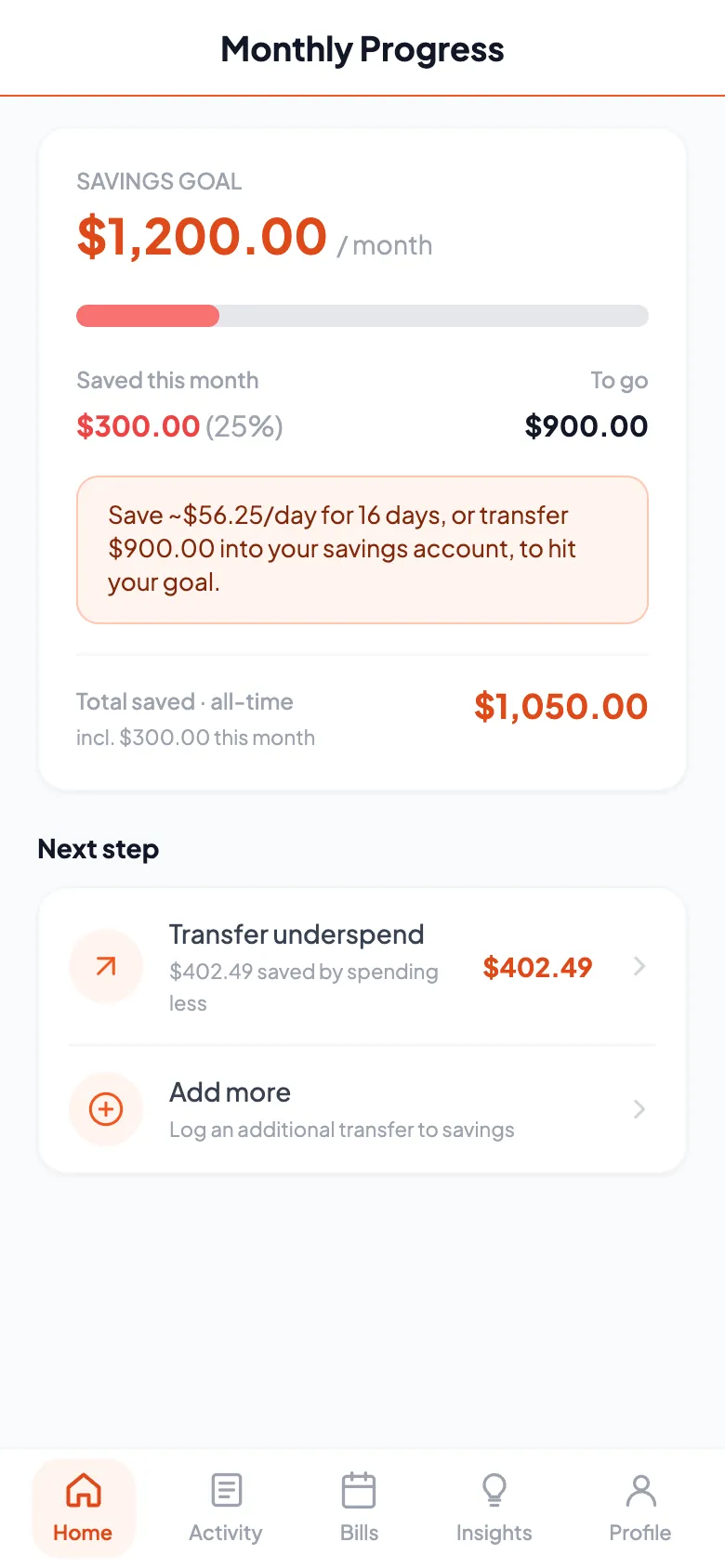
The savings page shows the goal you set in your plan, and how far you have got this month. Link your savings account and that number stops being something you typed in. DivvyUpp reads the balance and shows what is really in there. And on any day you spend less than your daily amount, DivvyUpp puts the difference aside. A good week turns into a specific amount to move, not just a feeling that it went well.
You make the transfer in your own bank. DivvyUpp records that you did it. It cannot move the money for you.
Where the money went
Activity, split into fixed and flexible
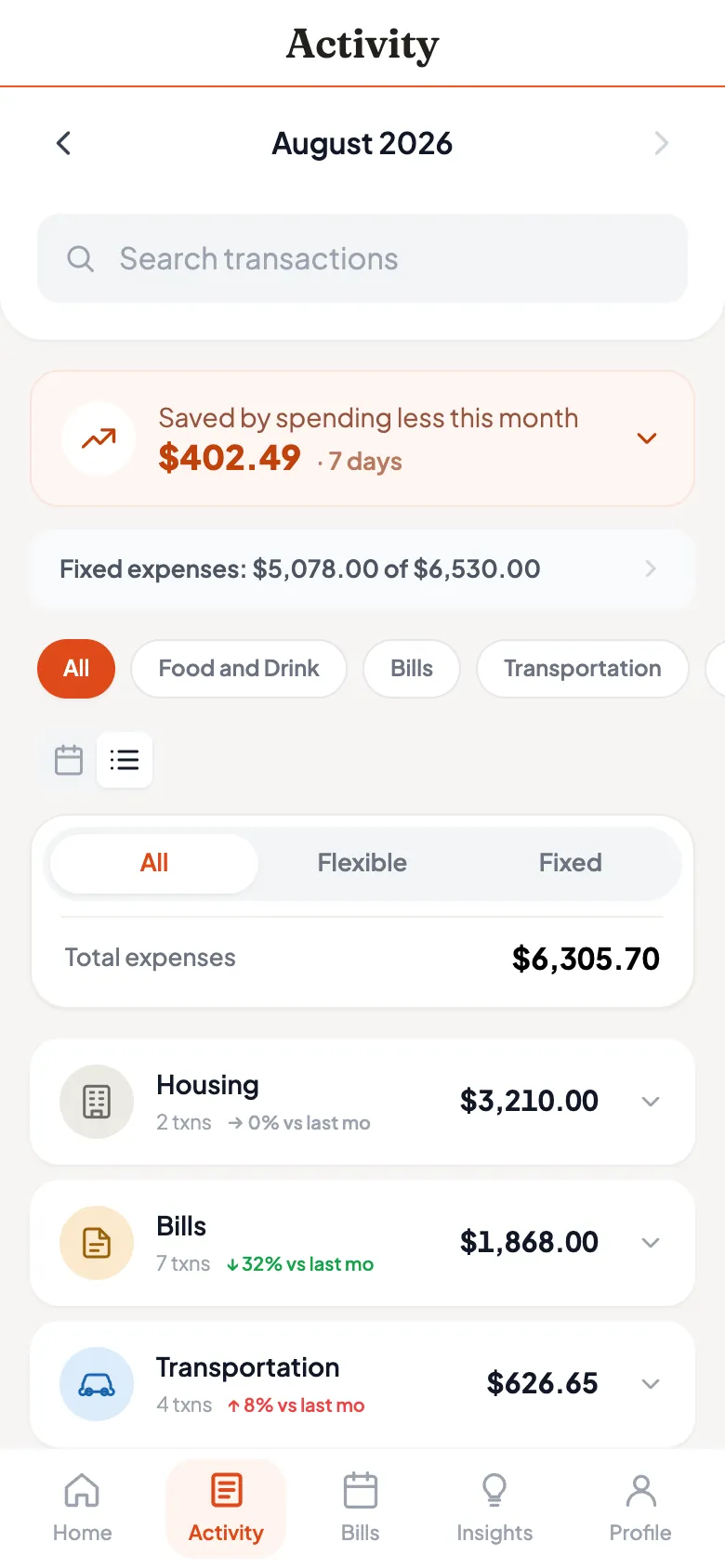
Every transaction, split the same way as your plan. Bills you cannot easily change sit on one side. The flexible spending that really decides your month sits on the other. You can filter, search and browse by category. If DivvyUpp labeled something wrong, change it — just that one payment, or that store from now on.
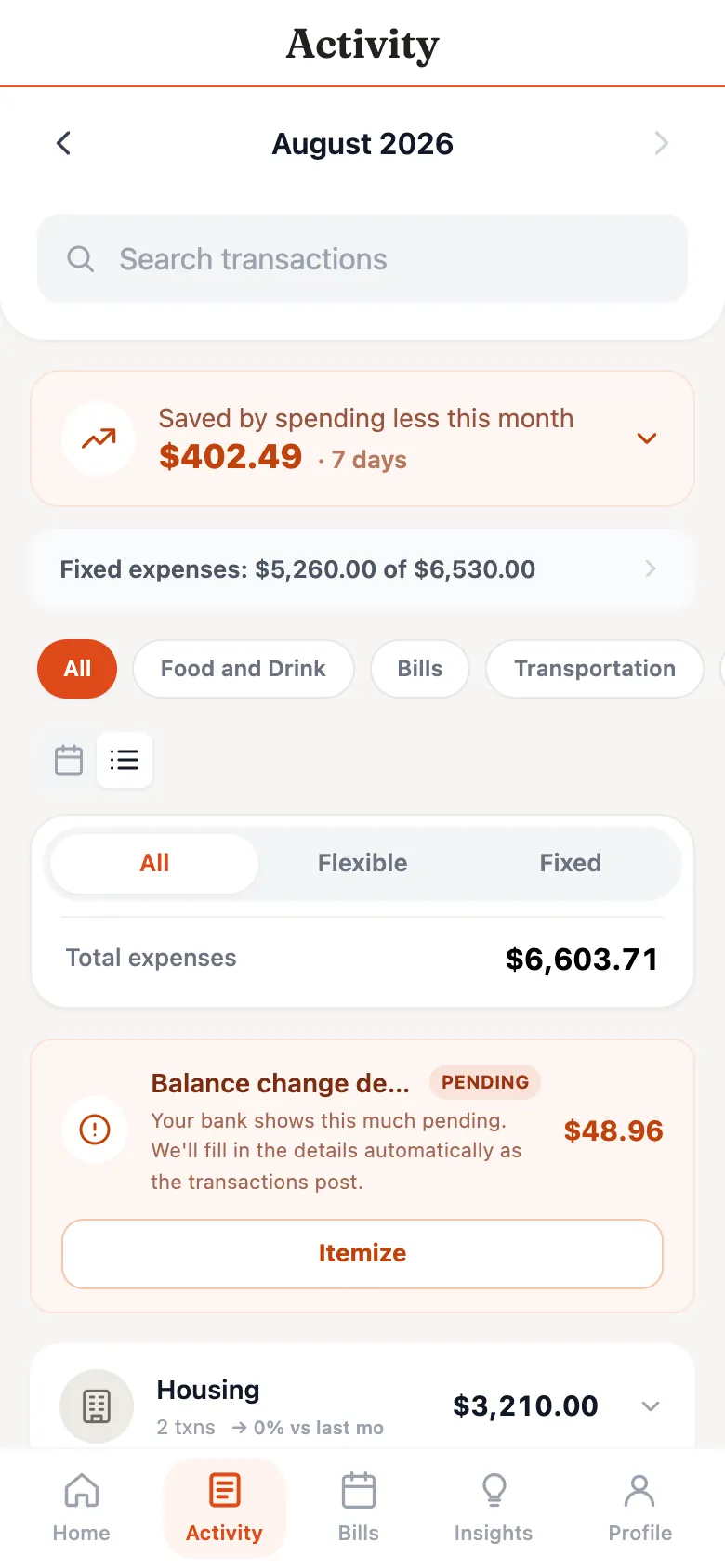
Balance change detection — money that has left, but has not posted yet
Banks are slow to post transactions. You tap your card today, and it may not show up for a day or two. But the money has already gone. Until it appears, most spending numbers are too high. That is exactly when you are most likely to trust them. So DivvyUpp watches your balance instead. When your balance drops with no transaction to explain it, that gap is shown as pending spending. Your safe-to-spend number already includes it.
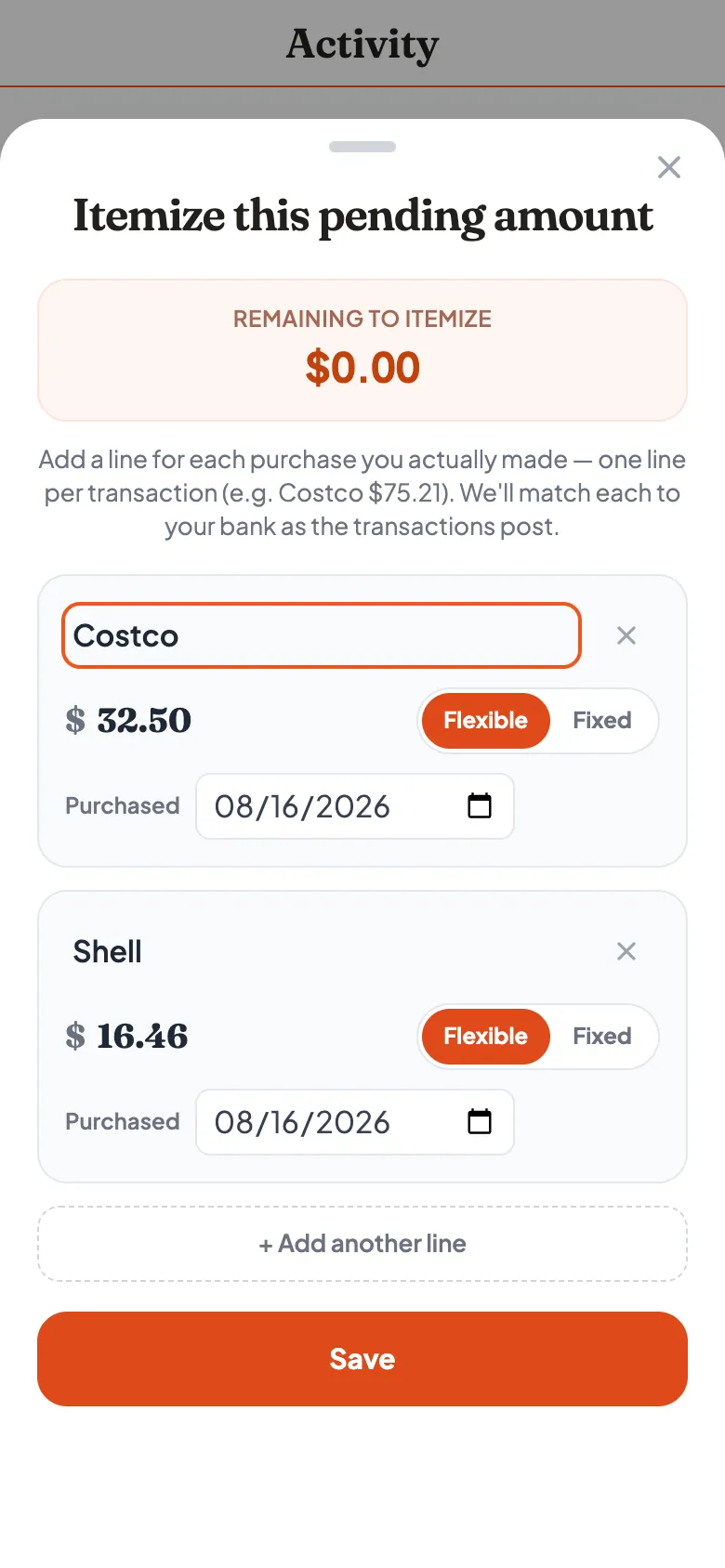
If you remember what you bought, you can list it out. Each line matches itself up once the bank posts it. If you do not remember, just leave it. Your number is right either way.
The bigger picture
Upcoming bills, so nothing lands as a surprise
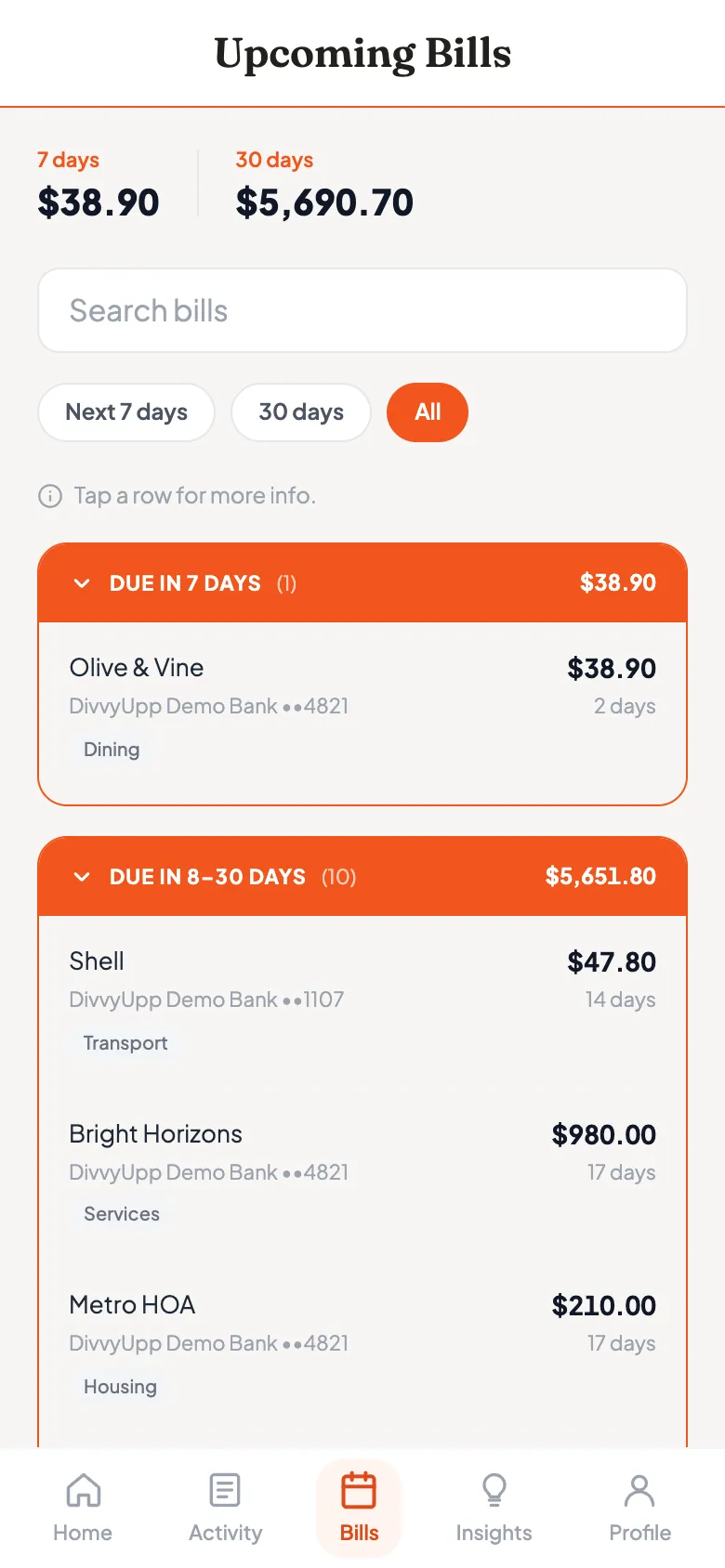
See what is due in the next 7 and 30 days. You get the amount, the account it comes out of, and how long you have. One forgotten bill can undo a careful month. It helps to see it coming.
Insights, with a dollar value attached
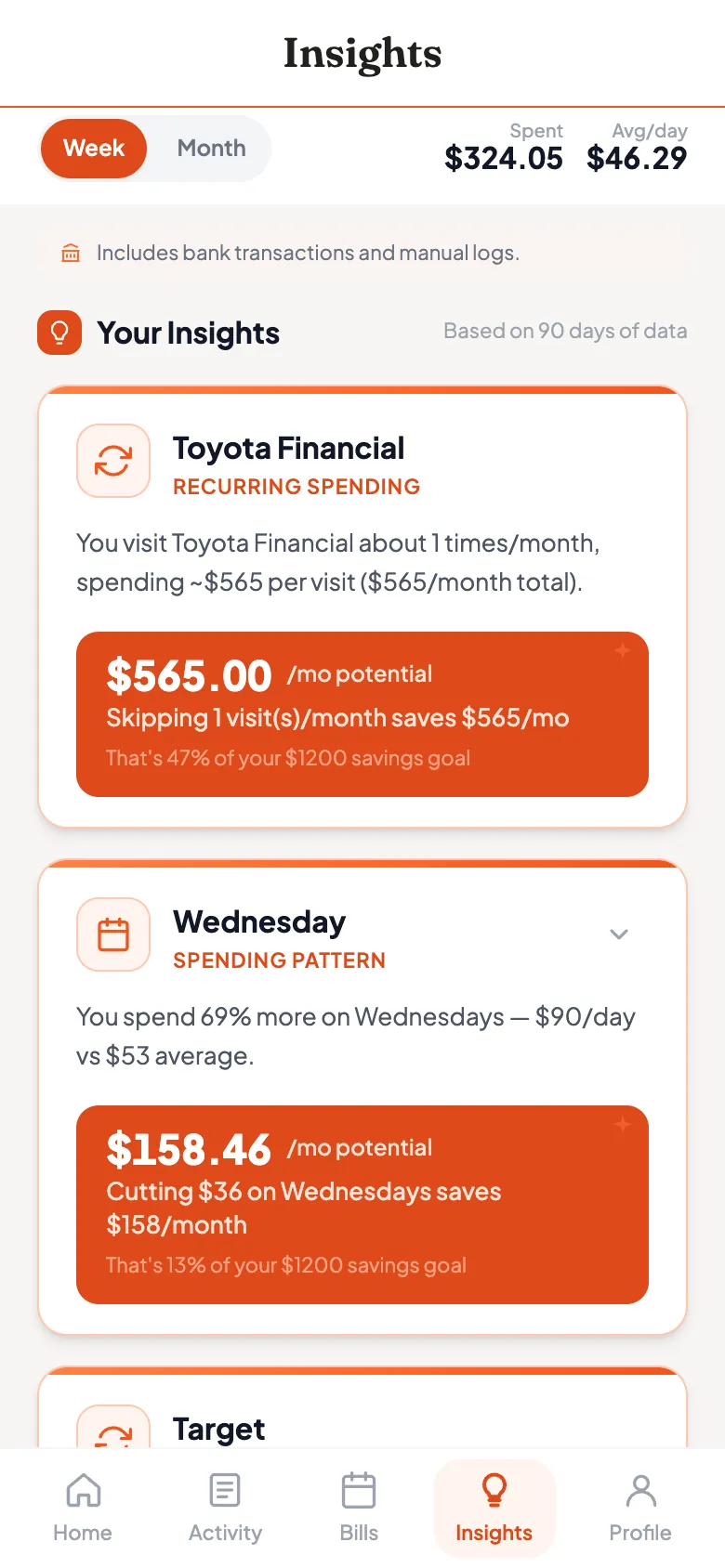
Repeat spending you may not have noticed. The days of the week you spend more. And what each one would be worth per month if you changed it. Every insight is shown in dollars, next to your savings goal, so you can judge whether it is worth doing.
Health View — the periodic step back
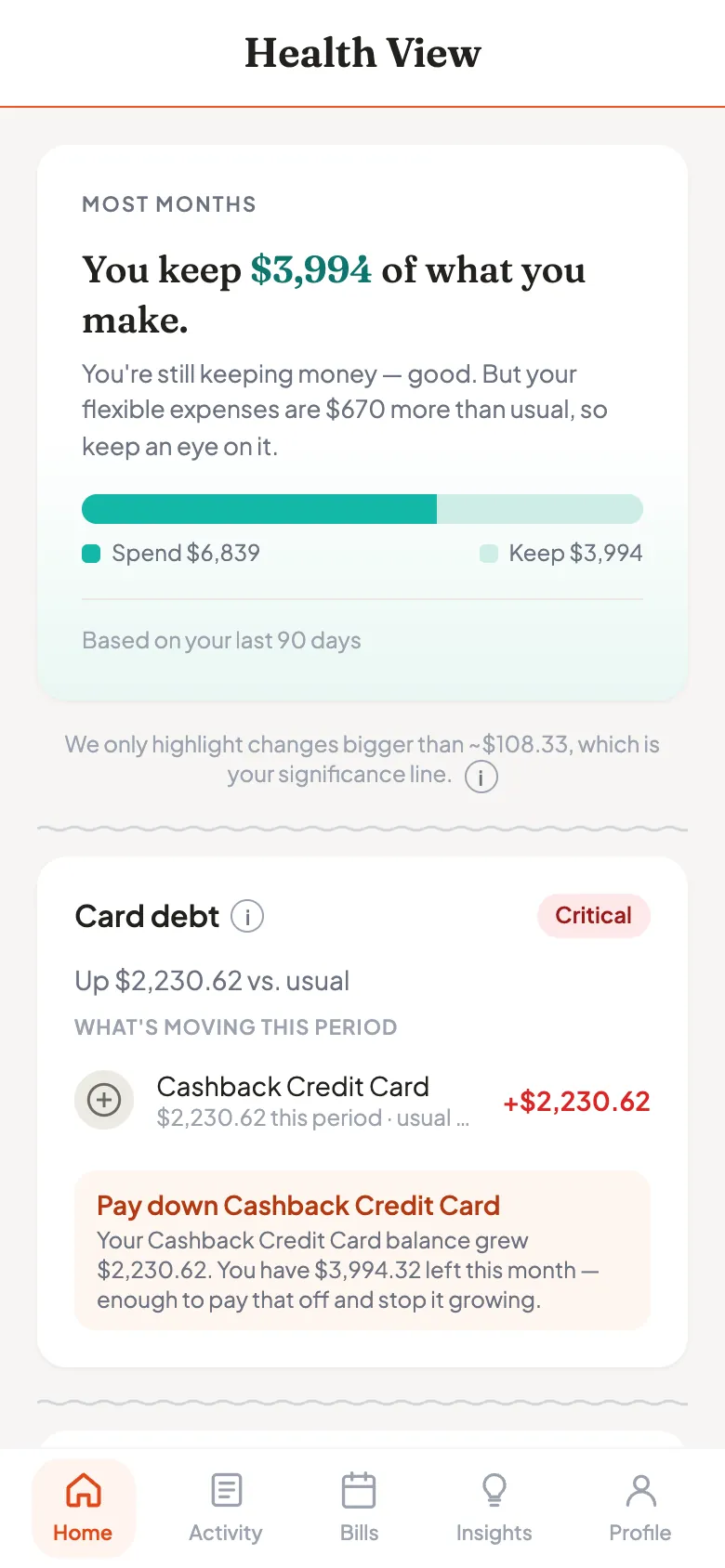
Your daily number keeps you on track inside the month. Health View asks a slower question. How much of your pay are you actually keeping, and what changed? It compares this period with a typical one for you, across bills, flexible spending and card debt. It names the stores behind any change. And it only flags changes big enough to matter at what you earn.
Set once, then forget
Email alerts, when something needs you
Pick the emails you want. Safe-to-spend updates, savings progress, low-balance warnings, weekly insights and streak reminders. You also choose when they get sent. Turn them all off and DivvyUpp stops emailing you.
Email only. DivvyUpp does not text you.
Manage the accounts you have linked
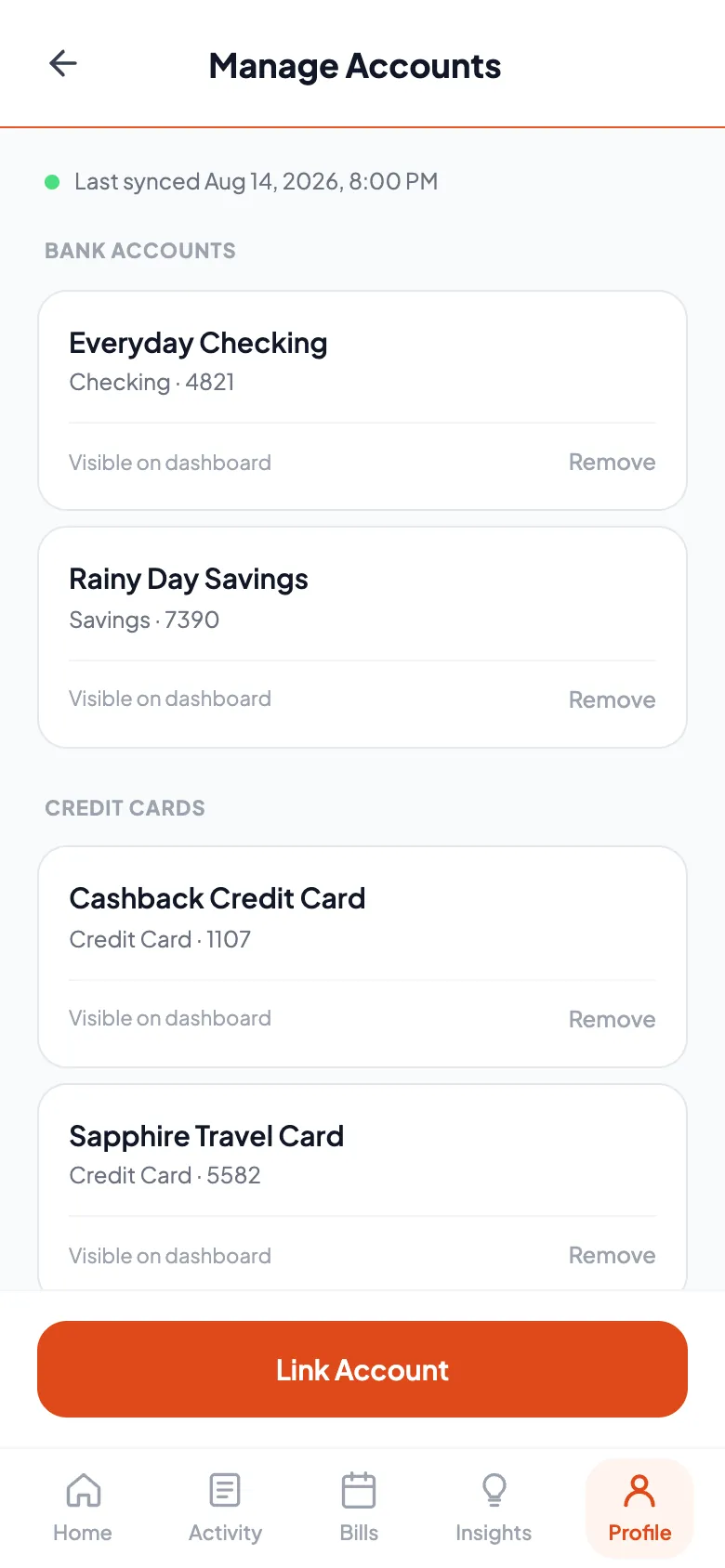
See every account you have linked, when it last updated, and which ones count toward your dashboard. You can add another, hide one, or remove it. Removing an account cuts off DivvyUpp's access to that bank.
What DivvyUpp does not do
- It never moves, holds or invests your money. It can only read.
- It does not split bills or track who owes who. That is a different kind of app.
- It does not ask you to sort every purchase, and there is no spreadsheet to keep up with.
- It does not text you. Alerts come by email only, and each one is optional.
See it working first
The live demo is the real app running on example data, with no account and no bank connection needed. Pricing is on the pricing page.
How it compares
Each one says what DivvyUpp does and what that other product is good at, with links to the sources.