DivvyUpp

Know what you can safely spend — before you spend it.

Your balance shows what you have — not what you can safely spend. DivvyUpp shows the difference, before you spend it.

A personal safe-to-spend app — just you, not bill-splitting.

Before you buy

Ask “can I spend this?” and get a straight answer

Can I spend $80 on dinner?

SafeIt fits. You’ll still be on track for the rest of the month.
RiskyYou can, but it puts this week’s number under pressure.
Yes, butHere’s the cost — what it takes out of the rest of your month.

No categorising, no logging the purchase afterwards. Ask before you tap your card.

The idea

One number that keeps you on track

Your safe-to-spend number

Your monthly budget

Take-home pay$5,000
Rent, bills & subscriptions−$2,000
Savings goal−$1,000
Safe to spend$2,000

DivvyUpp dashboard showing $67 safe to spend today, $467 this week, $2,000 this month

Safe to spend
$67
Today
$467
This week
$2,000
This month

Updates based on your spending

New month$2,000 to spend

DivvyUpp does the math to calculate your safe-to-spend number and keeps it updated as money moves. So, before you tap your card, you'll know if it's safe to spend.

The app

A quick walkthrough
See all the features

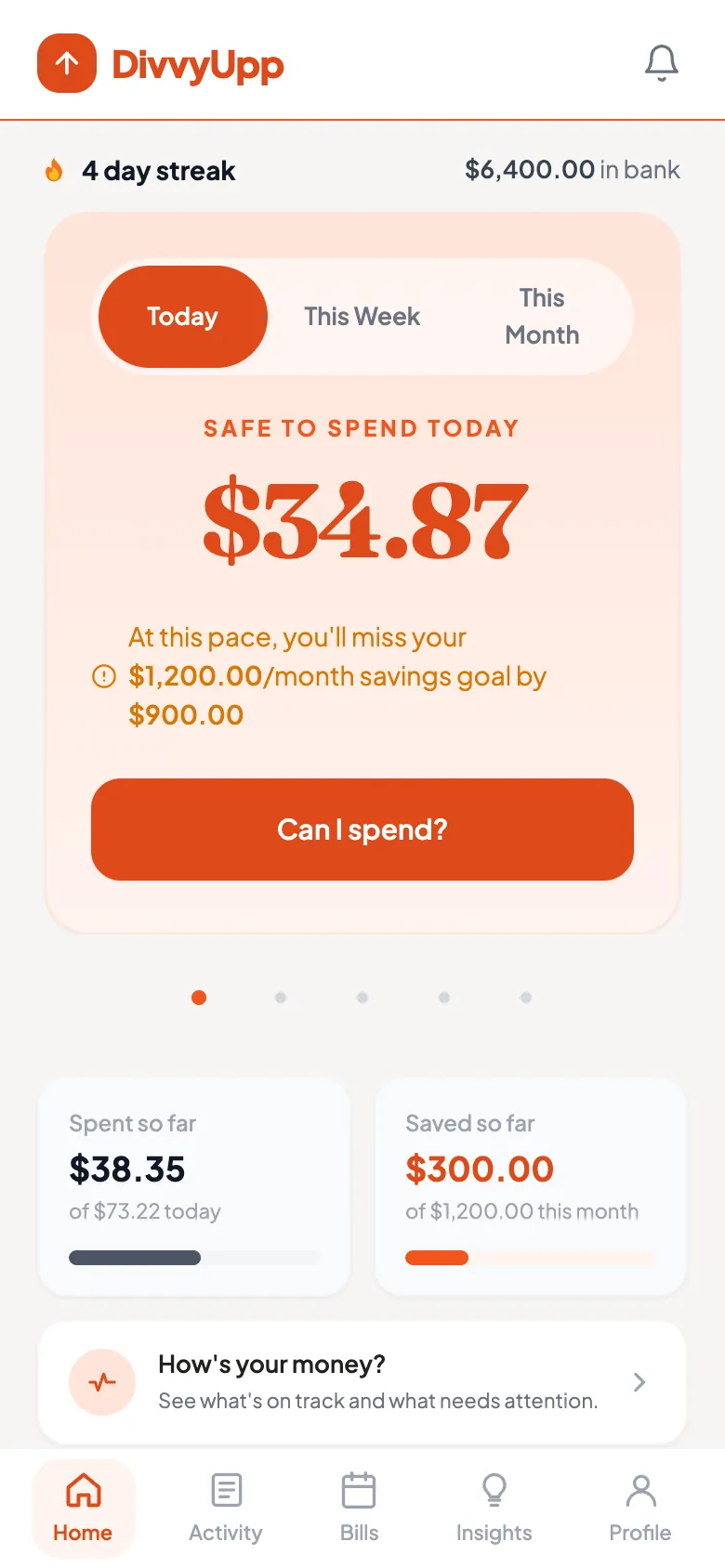
Safe-to-spend numberWhat's safe to spend today, this week and this month.
The DivvyUpp home screen: $34.87 safe to spend today, with tabs for Today, This Week and This Month, and a note that at this pace you will miss your $1,200 monthly savings goal by $900.
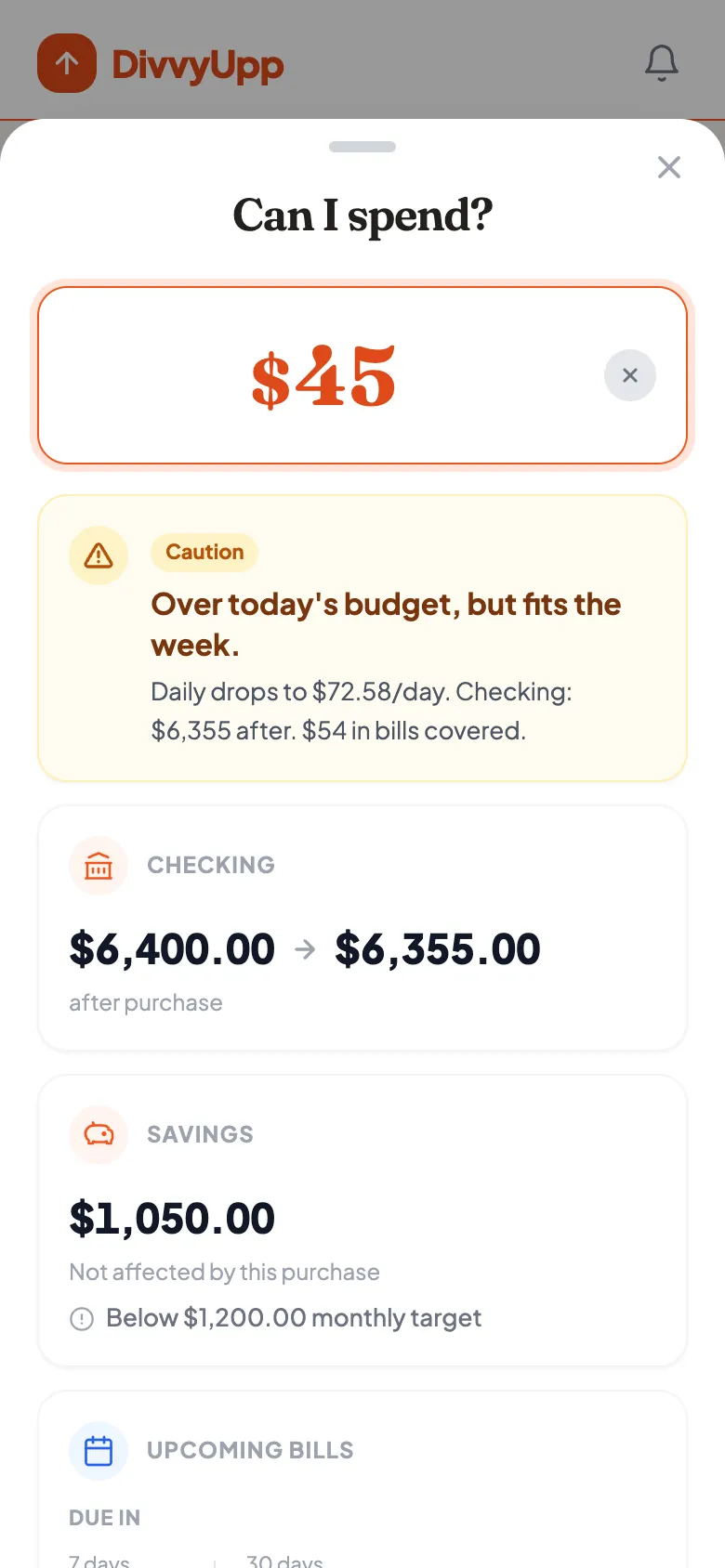
"Can I Spend?" advisorType in an amount and DivvyUpp tells you whether it fits your flexible spending.
The Can I Spend screen with an amount typed in, showing whether it fits, what the checking balance becomes, and the effect on the savings goal.
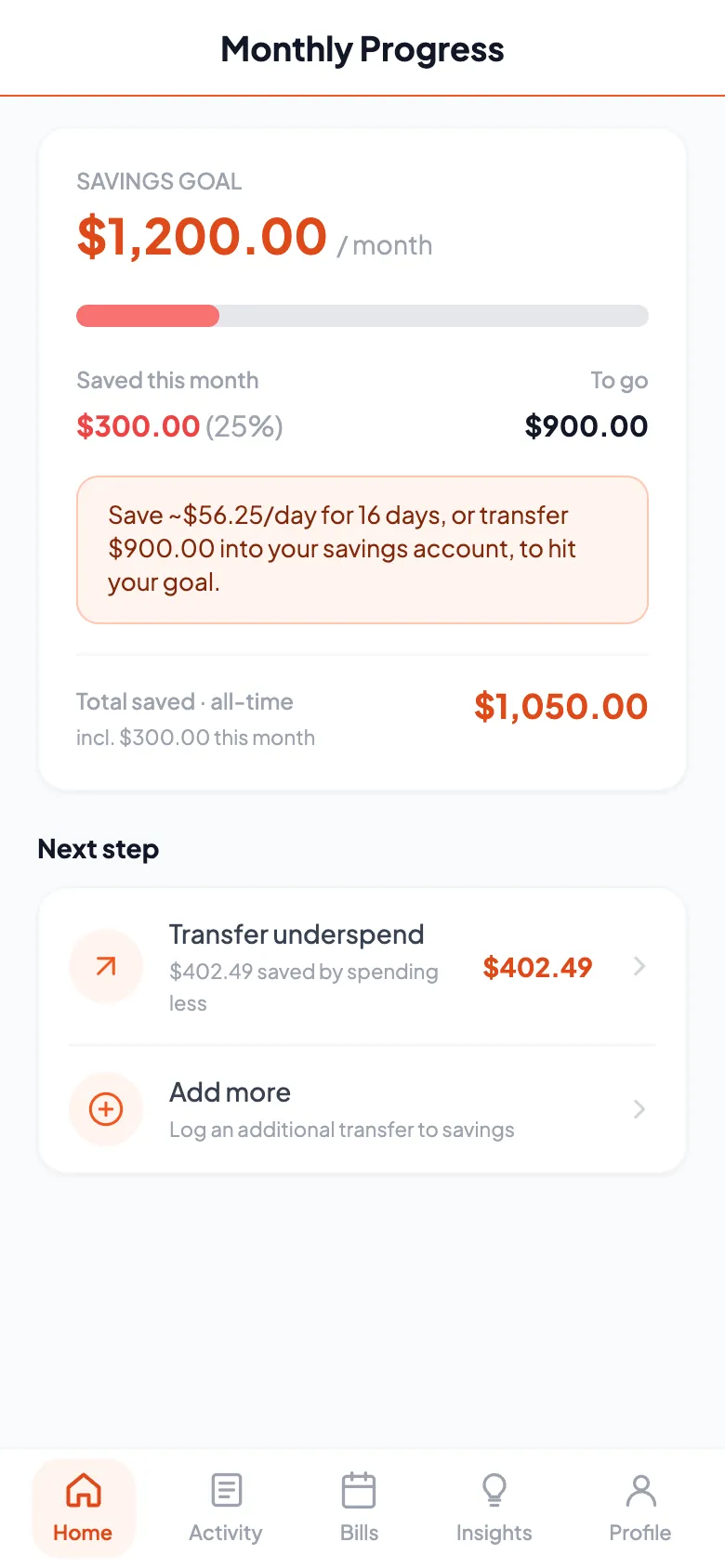
Track your savings goalYour monthly goal, your progress, and what a good week is worth.
The savings screen showing progress toward the monthly savings goal and the amount set aside so far.
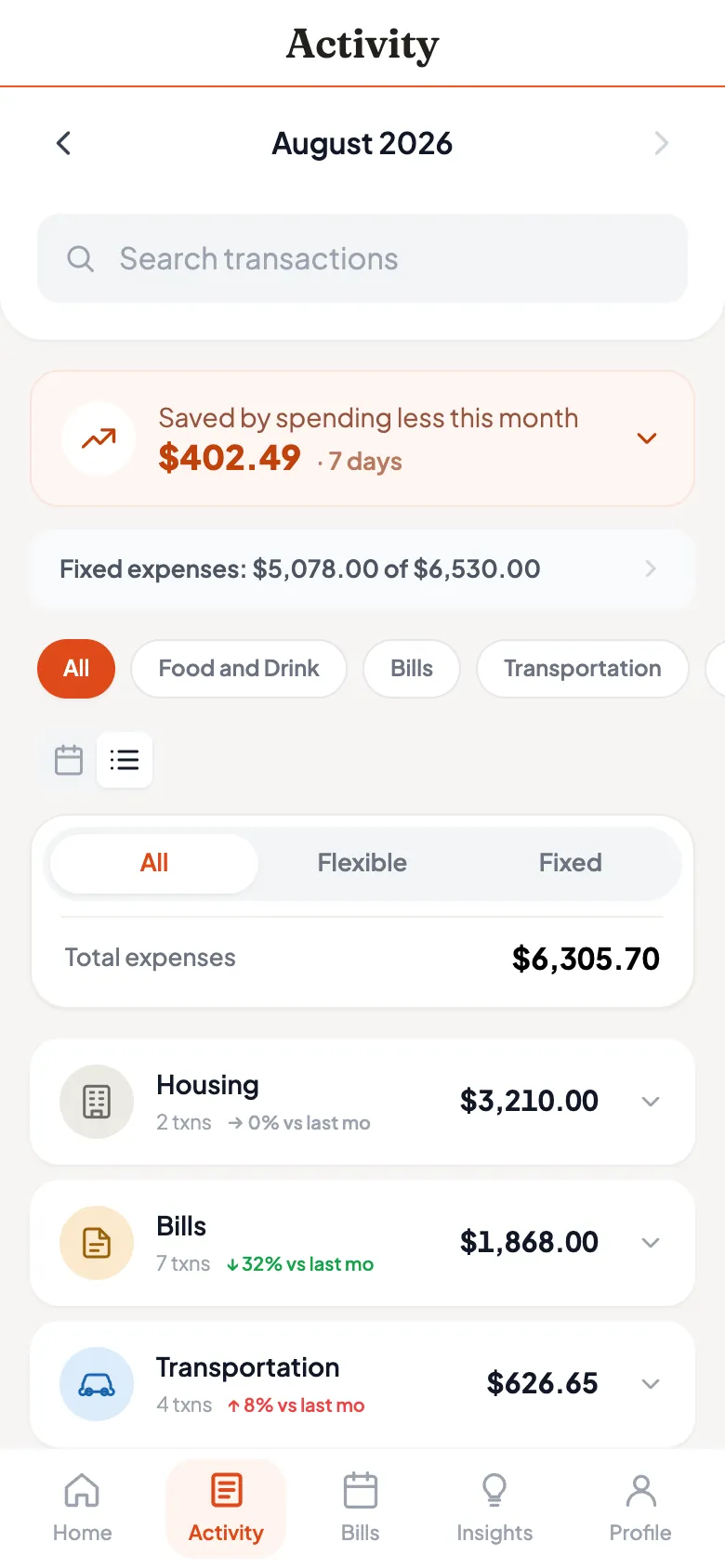
Fixed versus flexibleEvery transaction categorized into bills you cannot easily change and spending you can.
The activity screen listing transactions categorized into fixed and flexible spending, each with a category icon and amount.
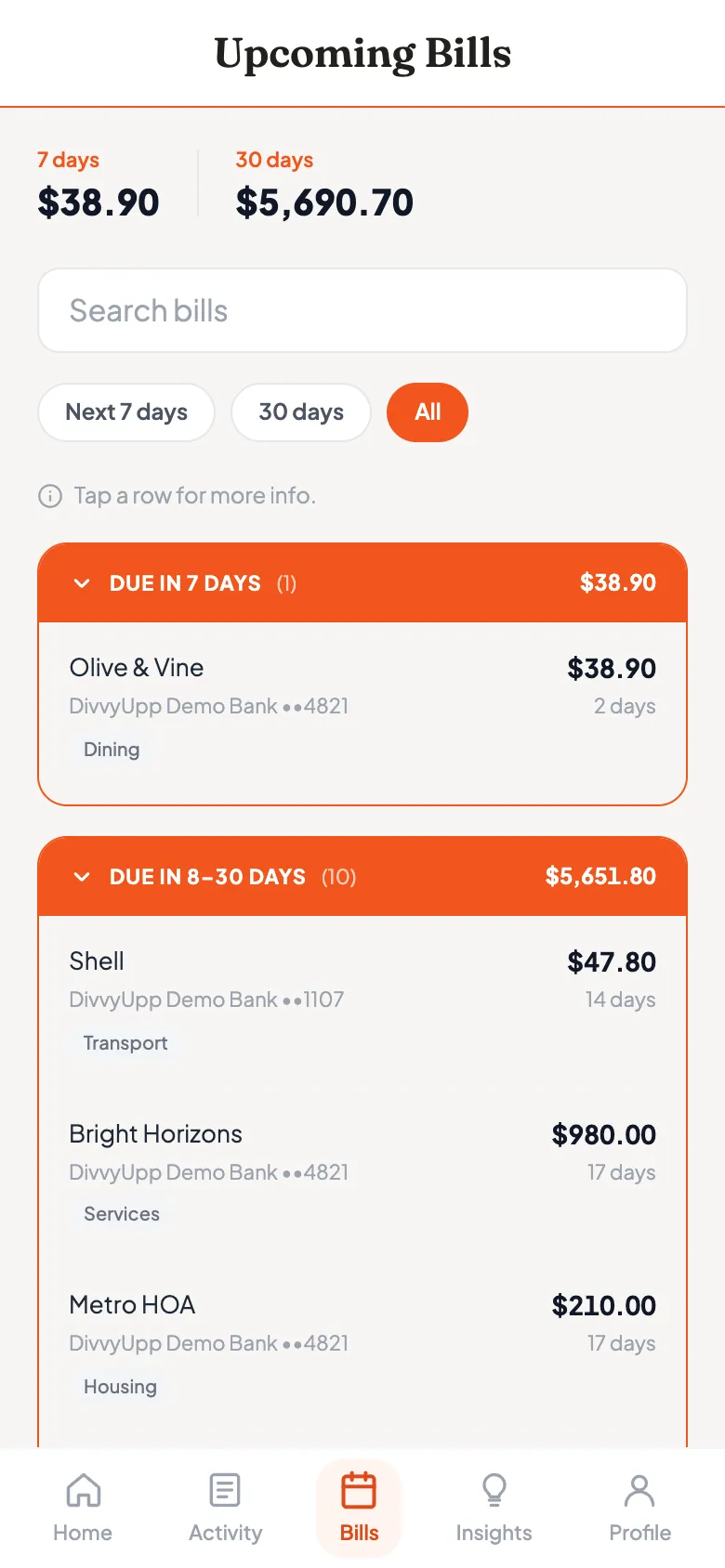
Upcoming billsWhat's due in the next 7 and 30 days, and from which account.
The upcoming bills screen listing bills due in the next 7 and 30 days with amounts, due dates and the account each comes from.
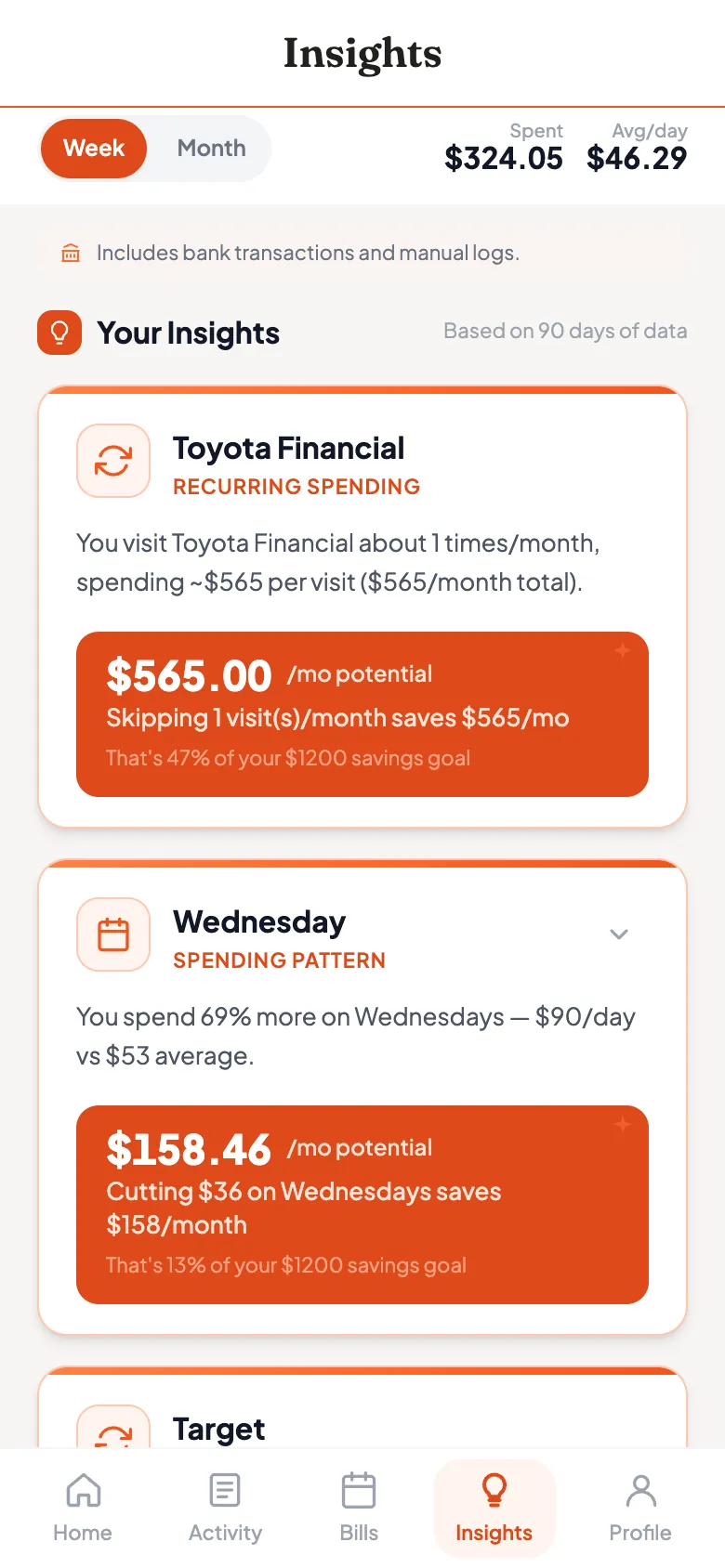
What it is costing youPatterns you may not have noticed that can help you save.
The insights screen showing spending patterns with a dollar value per month attached to each one.

Open the demo and try it yourself, no signup.

Your security

Safe by design

  • DivvyUpp can never access your money.
  • We never see or store your bank login.
  • Everything is encrypted in transit and at rest.

Getting started

Up and running in minutes

1
Set your goal
Enter your take-home pay, your monthly fixed-bills total, and how much you want to save.
2
Connect your bank
Securely link your accounts via Plaid. DivvyUpp analyzes your transactions to build and verify your plan.
3
Spend with confidence
See your safe-to-spend number every day. Not sure about a purchase? Tap “Can I spend this?” first.

Questions

Good to know

Free during invite-only beta

The full app, no card. At launch it starts at $9.99 a month, including checking and savings.

See pricing